Gifting a guide to someone
Build a guide for someone else and hand them the keys.
A gift guide is one you build on behalf of someone else (a client, a tenant, a parent) and then transfer to them, so it lives in their account, not yours.
How it works
- 1Start a gift guide from the dashboard and build it as usual.
- 2When it is ready, send the transfer invitation to the recipient.
- 3They open the link and sign in with their email. That is the whole acceptance. The guide lands in their locations list on its own, theirs to keep and edit. If they are brand new to mikum.me, they also keep their own free guide slot on top of the one you handed them.
💡A transfer invitation is good for one week and expires if it is left unclaimed. You can cancel it, or send a fresh link, at any time before it is claimed.
Sending the gift link
The gift link is personal and single-use: whoever opens it first and signs in gets the guide. That is why the share message asks the recipient not to forward it: once they have claimed the gift, the guide has its own ordinary link, and that is the one to share with visitors.
Gifting earns you free guides
Every 2 gifts that are claimed add +1 free guide slot to your own account. A claimed gift also counts as a referral, so the same gifts move you along the rewards on your Invite friends screen.
What the recipient sees
Paste the gift link into WhatsApp, iMessage, Slack or an email and it opens into the same preview card a shared guide link gets: the guide's photo with the mikum.me logo merged into the middle of it, a green line, and a white ribbon carrying the name of the place, the words "arrival instructions" and small tags for what is inside: navigation, parking and the step by step walk. The line under the card starts with a 🎁 and says who sent it, so it reads as a guide of their own to keep rather than a link someone forwarded.
Your recipient is asked their name
When the person you gifted taps "Accept guide", mikum.me asks them one short question before the guide moves into their account: what to call them. Most gift recipients are new here and sign in with an e-mail code, which tells us nothing about who they are — so without it, the message telling you your gift was accepted could only name their e-mail address. The name they type is saved to their own account, so it is also what they see in mikum.me from then on. Anyone who already has a name on their account is not asked.
On your dashboard
Everything about gifting sits on the list of your guides.
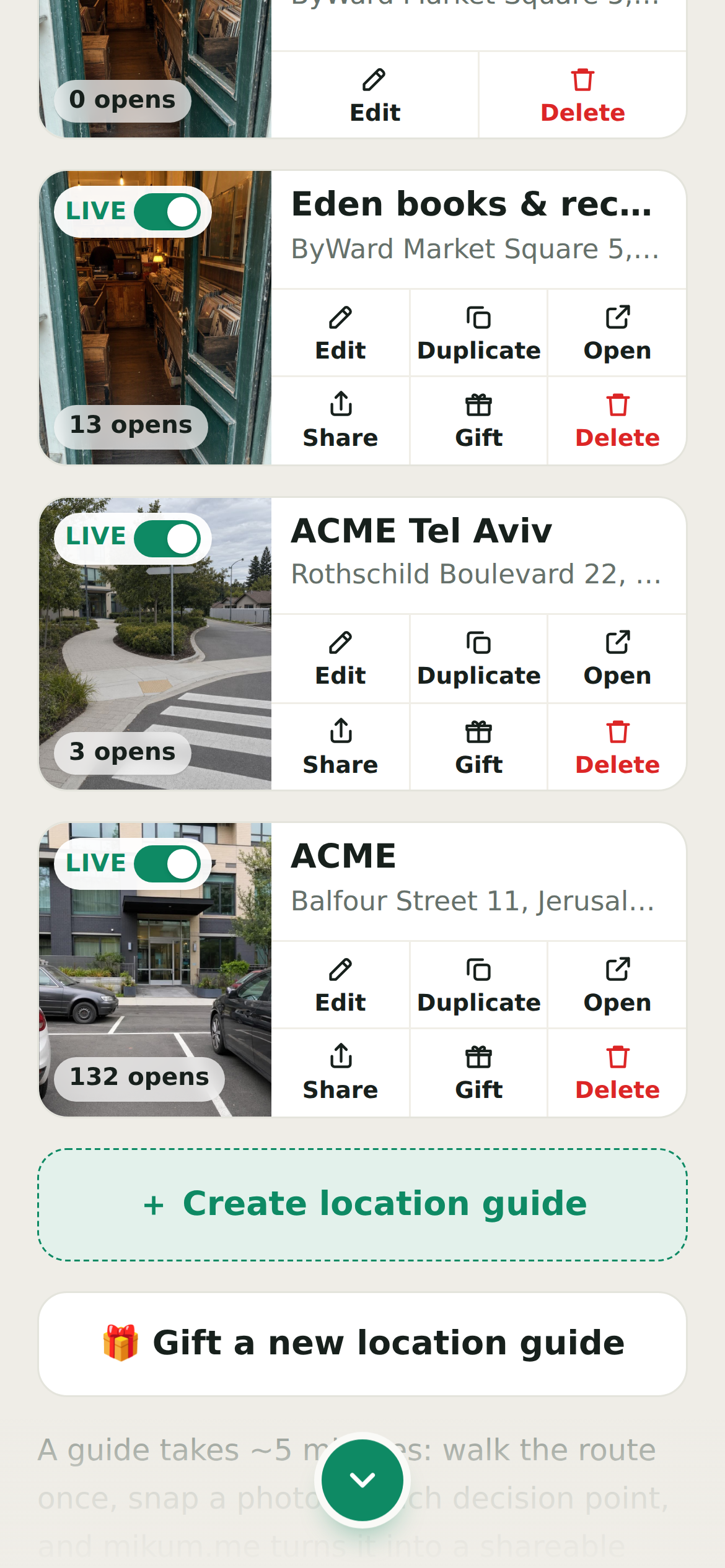
- 🎁 Gift is in a live guide's row of actions, beside Share. It creates the transfer link for a guide you have already built.
- 🎁 Gift a new location guide, the box under the list, starts a fresh one on someone else's behalf.
- While the link is out, the row is marked GIFT PENDING and its actions become Re-send and Cancel gift.
- Once it is claimed the row fades and reads GIFTED, with "Gifted to …" under the title. It stays on your list so you can still open the guide. It is just no longer yours to edit.
- Show gifts sent, the chip beside the "Your locations" heading, hides those faded rows when you want the list to be only what you still own. It appears as soon as you have given a guide away, and the choice is remembered in that browser.
Good to know
Until it is claimed the guide stays with you and you can keep editing. Once claimed it leaves your account entirely: you are handing it over, not sharing a copy. Gifting is a premium feature. You will get a text (or an email, if we do not have a phone number for you) the moment it is accepted, with a link straight to your Invite friends screen.
Gifting to someone who already has an account
The bonus free guide is for people joining mikum.me for the first time. If the person you gift a guide to already has a mikum.me account, the guide still becomes theirs: it lands in their locations exactly as it would otherwise, but neither of you gets a free-guide credit for it, and it does not count as a referral. If they are already at their free-plan limit the gift arrives locked, until they free a slot or upgrade.
💡Sending a guide to someone who is not on mikum.me yet? That one does count for both of you.
The link you send is the guide's own link
What goes out is the guide's own address with a gift code on the end: mikum.me/your-guide?gift=…, not a separate private page. The recipient opens the real, working guide with an Accept guide bar over it; accepting saves it to their account and spends the code.
After that the same link is simply the guide. If they forward it to a friend, the friend gets the arrival instructions and nothing else: there is no gift left to claim, so there is nothing you need to warn anyone about.
💡Before it is accepted the code is still live, so whoever opens the link first is the one who gets the guide. Send it to the person you mean it for, and cancel it from your dashboard if it went astray.
Last updated Aug 23, 2026