Premium
Reading your location stats
How many people found their way in, and what that saved you.
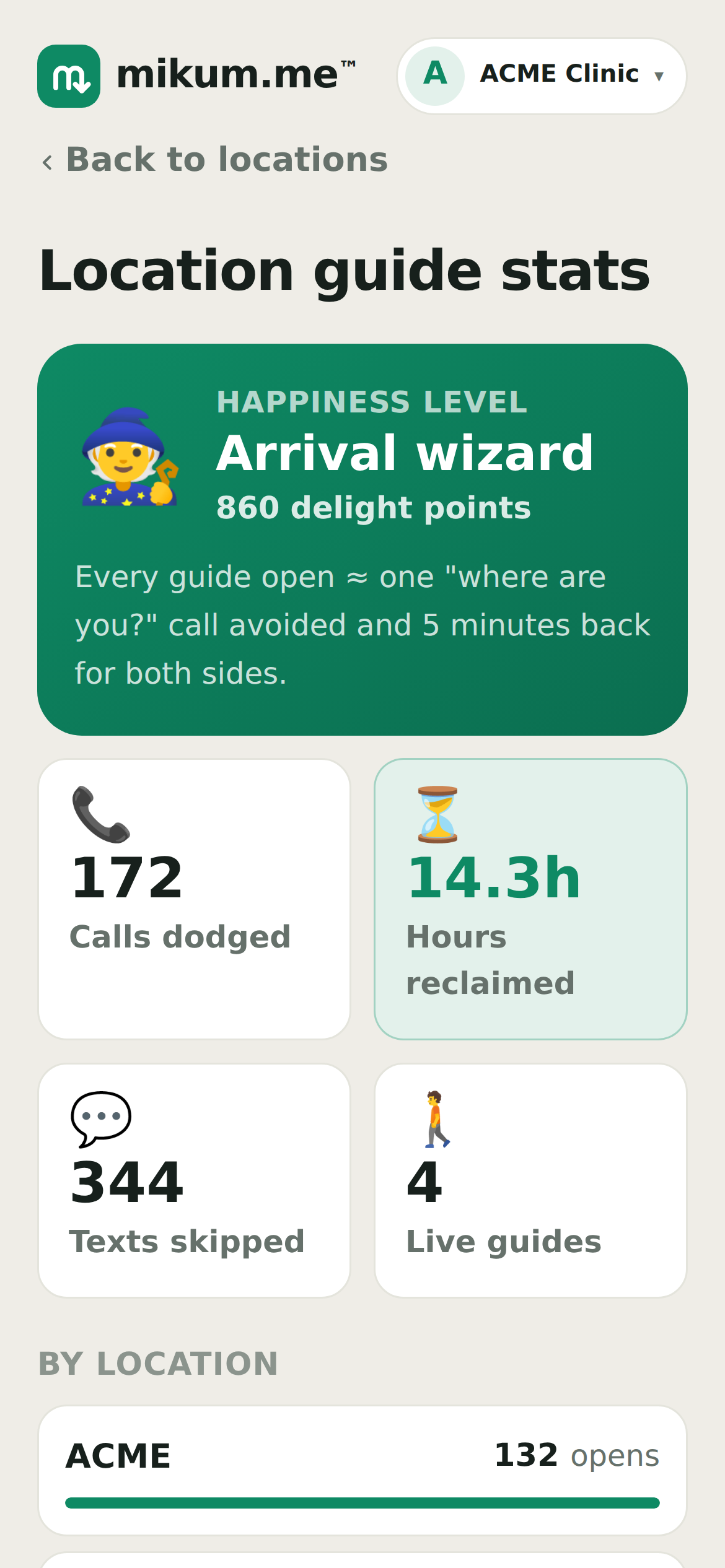
Every time someone opens your guide, that is one arrival that did not need a phone call. Stats turns that into a number.
Open the menu (top right) and tap Stats.
What the numbers mean
- Opens: how many times a guide was opened. Counted per location, so you can see which entrance actually confuses people.
- Calls dodged and Texts skipped: an estimate drawn from your opens, not a measurement of your phone.
- Hours reclaimed: the same estimate in time, counting five minutes for each side of a call that never happened.
- Happiness level: a light-hearted running total. It goes up as your guides get used.
💡Opens count real visitors, not you. Opening your own guide from the dashboard to check something does not inflate the number.
Reading it usefully
One location with far more opens than the rest is usually the one people struggle with: worth walking again with your phone to see whether a photo is missing at the confusing turn.
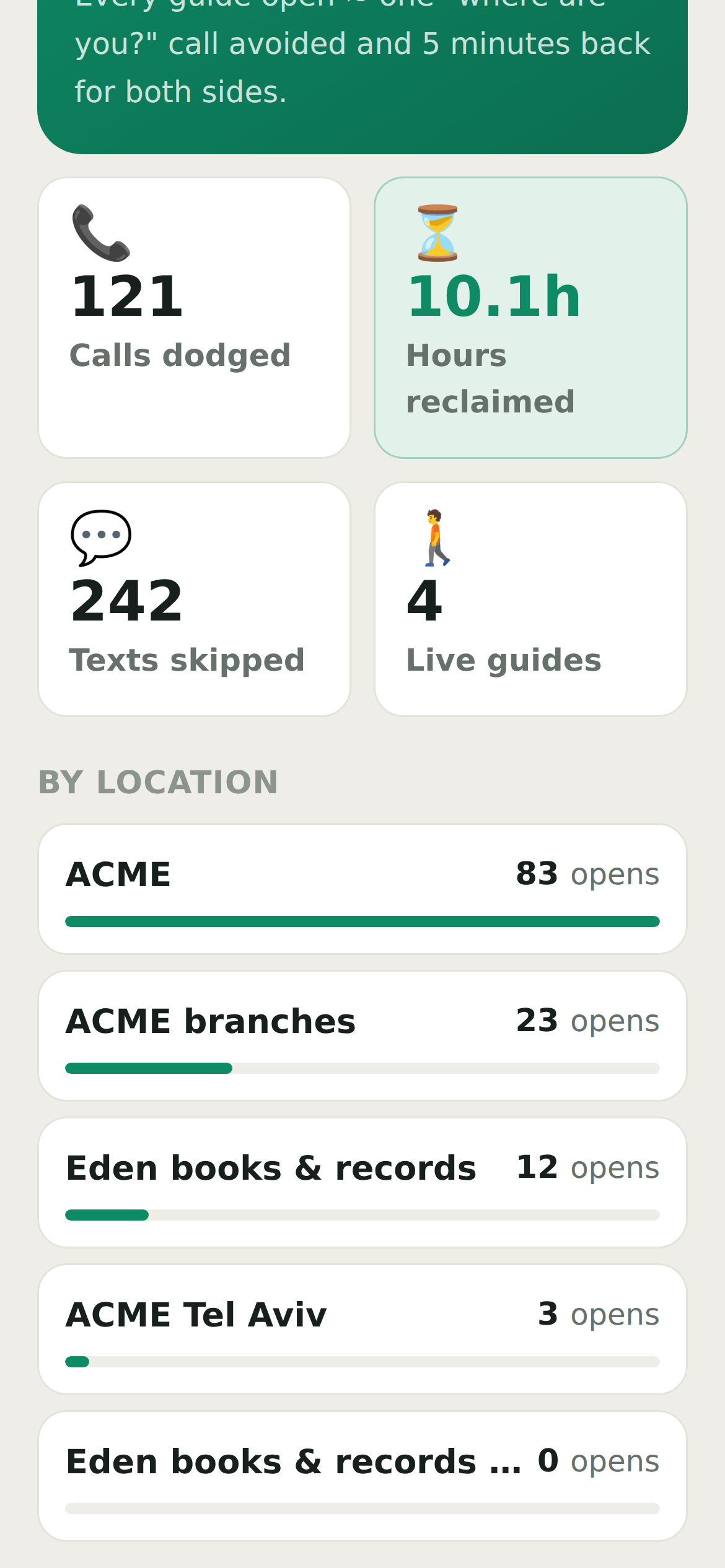
A location with no opens at all normally means the link has not been shared yet, or the guide is turned off. Your locations shows which.
Last updated Jul 30, 2026