Blurring a face in a photo
Hide a passer-by, a number plate or a name on a letterbox before you share the guide.
Route photos are taken on a real street, so someone else's face, car or letterbox often ends up in the frame. The Blur tool takes care of it in a couple of taps.
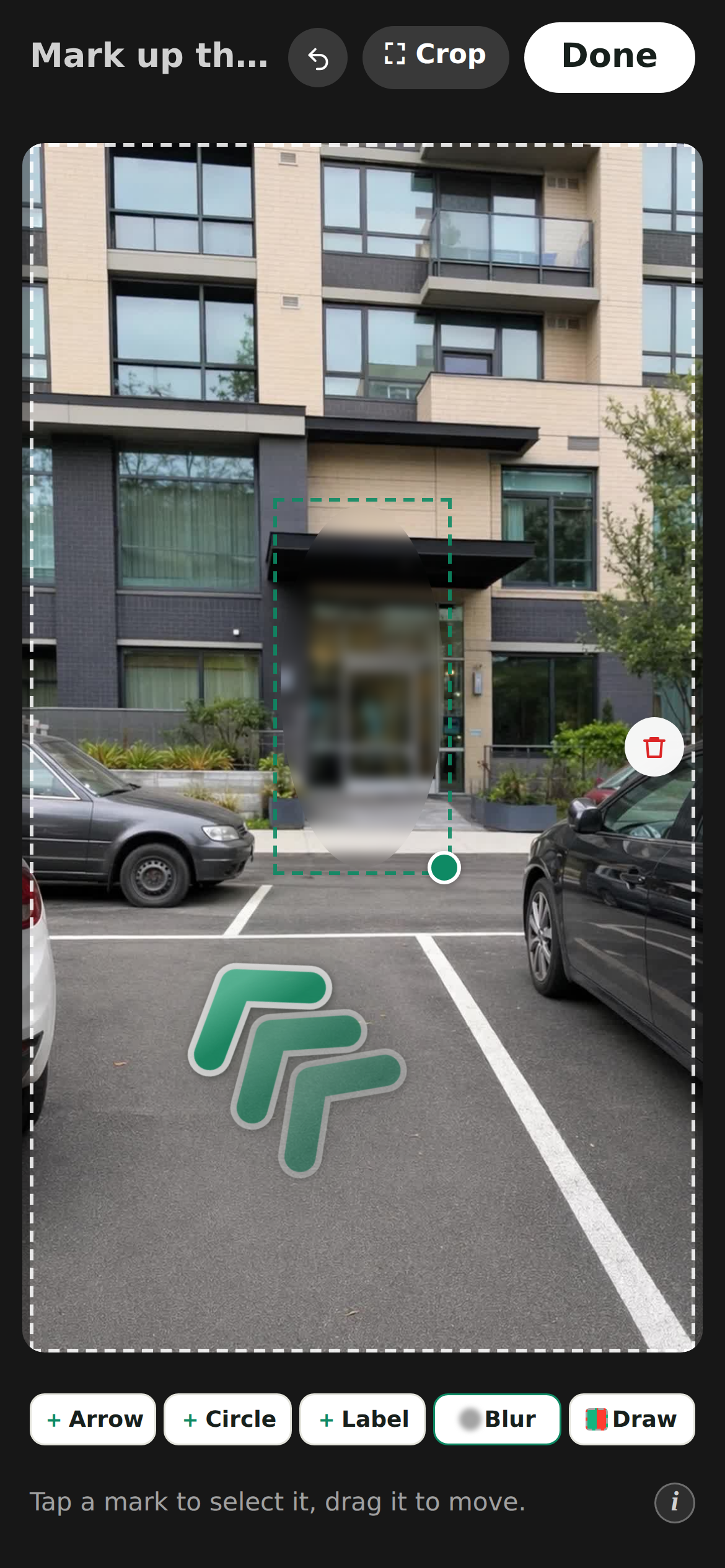
How to blur something
- 1Open a photo for mark-up and tap Blur in the tool row.
- 2A soft rounded panel drops onto the photo. Drag it over the face, and drag the green corner dot to size it.
- 3Add another blur for every extra face or plate. 🗑 removes one you no longer need.
💡The blur gets stronger as the panel gets bigger, so one panel over a whole face always stays unreadable: no strength slider to fiddle with.
What the visitor sees
Exactly what you see. The blur is drawn the same way on your screen and on theirs, so the oval you approve in the editor is the oval that reaches the guide, the cover photo included.
💡Nothing is burned into the photo, so a blur is never a one-way door: move it, resize it or delete it whenever you like, even months after the guide went out.
Good to know
Blurs travel with the photo just like arrows and labels do: cropping, straightening and rotating keep them in place, and they need no translation, so they work the same in every language your guide speaks.
We spot the faces for you
While the AI drafts each step it also looks for people in the photo. When it finds any, the mark-up screen says so (*We spotted 2 faces in this photo, blur them?*) and Blur drops a ready-placed oval over each one. Nothing is hidden until you tap it, and what it adds are ordinary blur marks: drag one onto the face if it landed a little off, resize it, or 🗑 one you did not want.
💡A second pair of eyes, not a guarantee. Faces in the dark, far in the background or turned away can be missed, and now and then a shape that is not a person gets offered, so it is still worth a look through your photos before you share the guide.
Last updated Aug 4, 2026