Building your guide
Turn a walk-through video into a guide
Film the route once and let mikum.me pull the best still frames for you.
If shooting one photo at a time feels fiddly, film the whole walk instead and let mikum.me turn it into route photos.
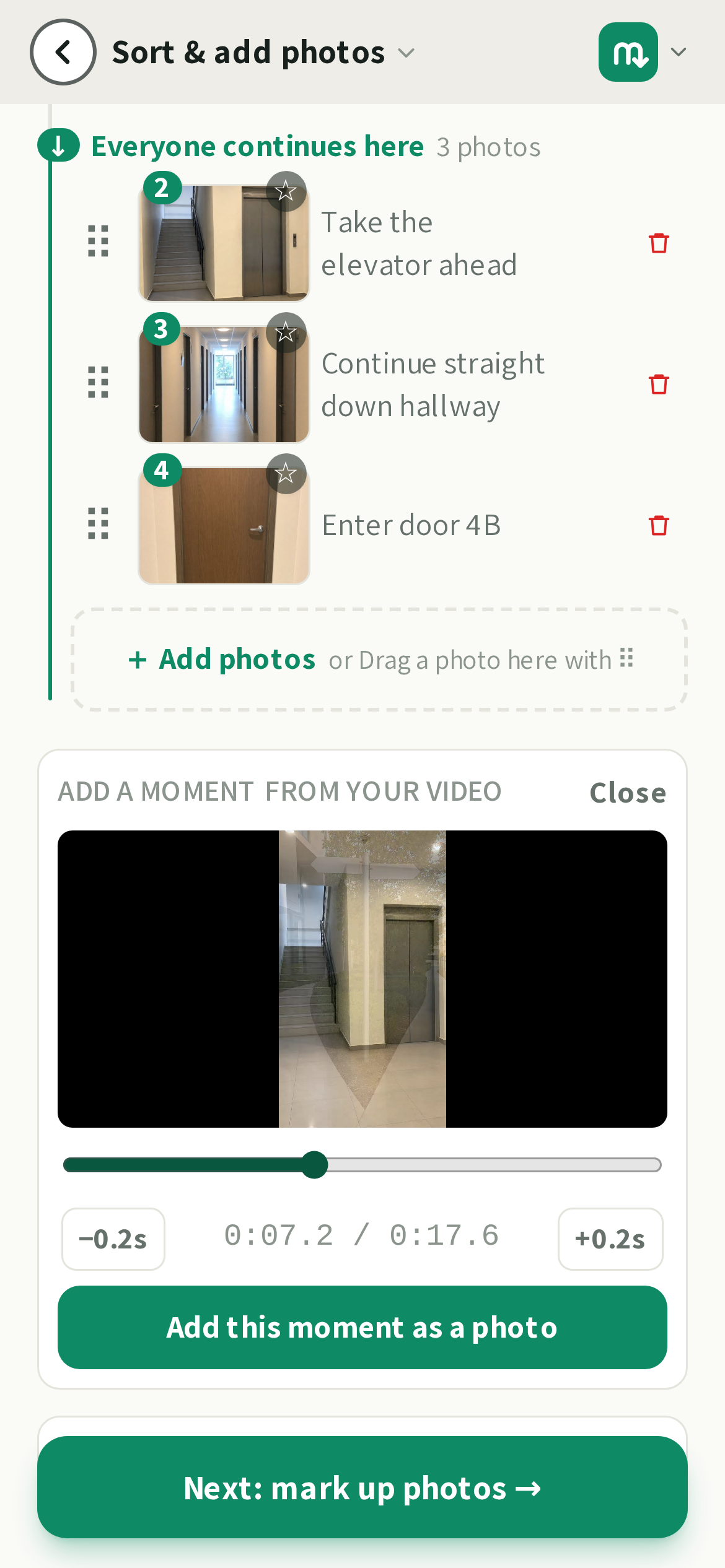
How it works
- 1On the photos step, tap the video option next to the photo button.
- 2Record (or upload) a steady clip of the walk from the street to the door.
- 3mikum.me scans the clip and picks the sharpest frame around each moment, so you get clear stills, not blurry ones.
- 4Keep the frames you want, drop the rest, and mark them up like any other photo.
💡Walk slowly and pause for a second at every turn, gate and door. A short pause gives a crisp frame to choose from.
Good to know
The frames are pulled on your own phone, so a long clip is fine. They then appear in your photo list one by one while the AI reads the walk, so you can watch the guide take shape, and if you would rather write the steps yourself, tap Skip, I'll write them and the photos stay exactly as they are. You can always add a few normal photos afterwards to fill any gaps.
Last updated Aug 3, 2026