Deleting a guide (and the extra "are you sure?")
How to remove a guide, what disappears with it, and why a guide visitors already opened asks twice.
Deleting is permanent, so it is worth knowing exactly what goes and what the two taps mean.
How to delete
- 1Open your dashboard and find the guide in the Your locations list.
- 2Tap Delete on the guide's card.
- 3The card turns red and asks *Delete this guide & its photos?* Tap Yes, delete.
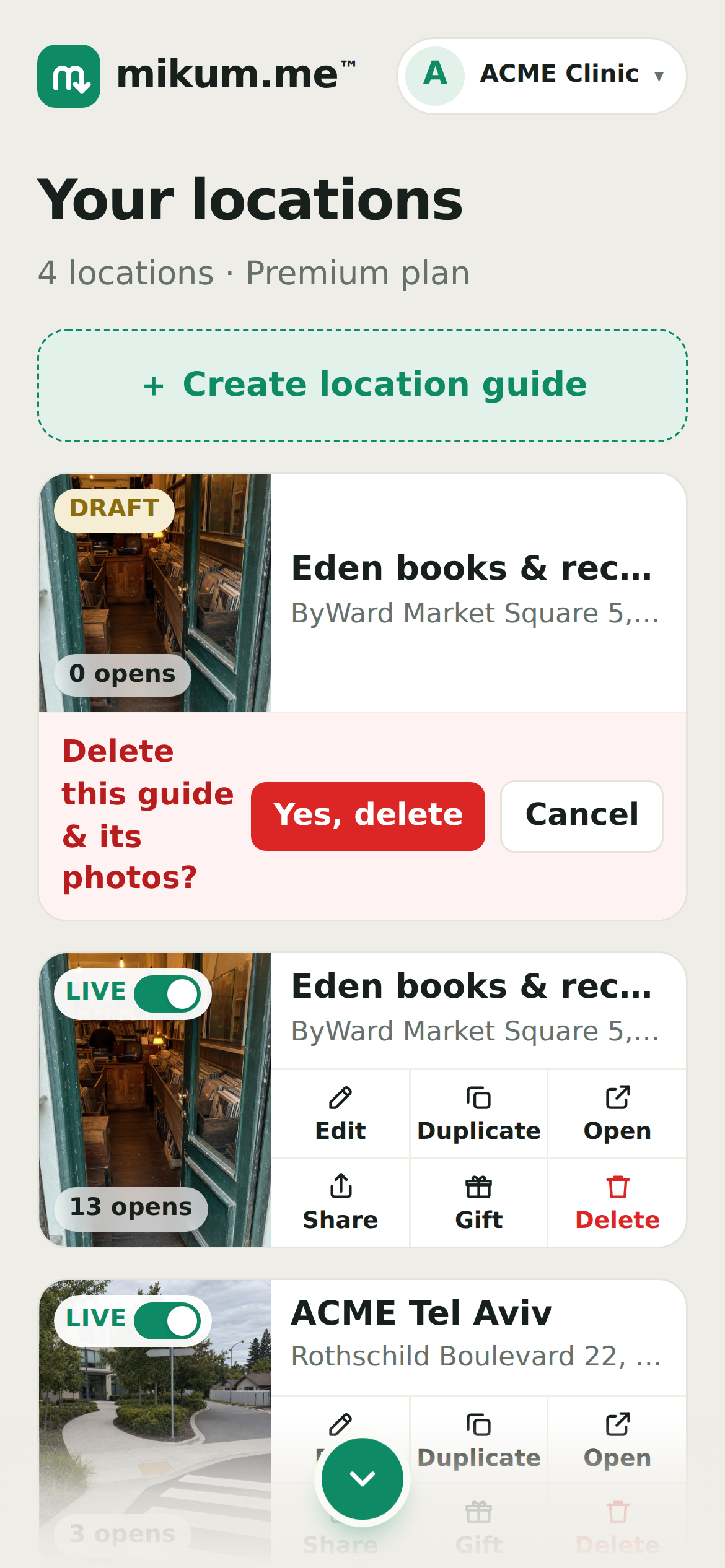
That removes the guide, its photos and its walkthrough, and the shared link stops working immediately. It can't be undone.
The second question
If visitors have already opened the guide, Yes, delete doesn't delete straight away. It asks once more: *Are you sure? It looks like visitors have used this guide.* Tap Delete anyway to go ahead, or Cancel to keep it.
The point is the link. A guide with opens is usually a link that's already out in the world (in a WhatsApp thread, on an invitation, in a booking confirmation) and deleting it leaves whoever taps it next with a dead page.
💡Your own previews don't count. Opening your own guide to check it is not a visit. Those opens are remembered in the browser you previewed from and subtracted before the question is asked, so testing your own guide won't trigger it. Previews you did from a *different* phone or browser can't be matched up, so they may still read as visitors.
Turn it off instead
Most of the time "I don't need this any more" doesn't have to mean deleting. The LIVE / OFF toggle on the card takes the guide offline: visitors get a plain "this guide isn't here" page instead of your address, the guide stops using a free slot, and everything is still there when you switch it back on. Deleting is for guides you're certain you'll never want again.
- Photos are deleted with the guide: there is no copy to restore from.
- A guide inside a directory can be deleted on its own; the directory stays.
- Deleting a directory keeps the locations inside it: they just stop belonging to a directory.
Last updated Jul 30, 2026