Premium
Putting a directory inside a directory
Build a company → country → location tree with one link at the top.
A directory groups locations under one searchable link. When one level isn't enough (a company with branches in several countries, a chain with regions, a campus with buildings) a directory can hold other directories as well as guides.
Build the tree
- 1Create a directory for each lower level first, for example Israel and USA, and tick the guides that belong in each.
- 2Create (or open) the top directory, for example the company name.
- 3In Directories inside this one, tick Israel and USA.
- 4Save. The top link now opens the two country directories, and each of those opens its own locations.
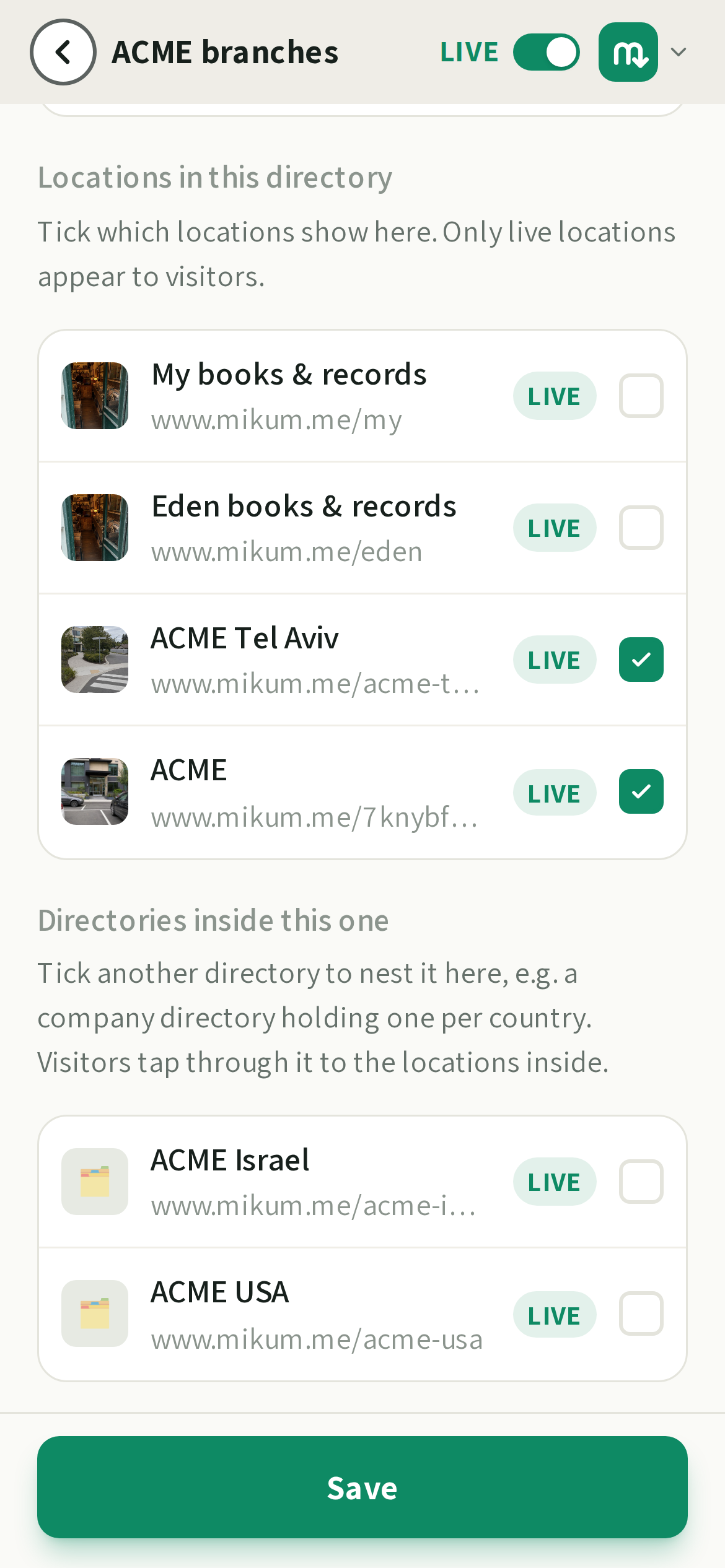
A visitor tapping a directory in the list goes one level down and gets a back link at the top to return. Search on each page searches that level.
Good to know
- A directory can sit in more than one parent, exactly like a guide can.
- Only live directories and guides show to visitors: anything still off stays hidden, but keeps its place for you.
- You can't put a directory inside itself, or inside one of its own parents: that would be a loop, so it isn't offered.
- Every level has its own name, cover photo, languages and link, so any level can be shared on its own.
💡Give each level a name a visitor would recognise from the outside: the company, then the country or city, then the actual place.
Last updated Aug 17, 2026