I signed up twice. Can I join my accounts?
Add the other email or phone to your account and confirm one link: both sets of guides end up in one place.
It happens: you signed in with your email one day and with your phone number the next, and now half your guides are on one account and half on the other. Each sign-in creates its own account, so neither one can see the other's guides.
You can join them yourself, in about a minute.
How to merge
- 1Sign in to the account you want to keep: that's the one everything moves into.
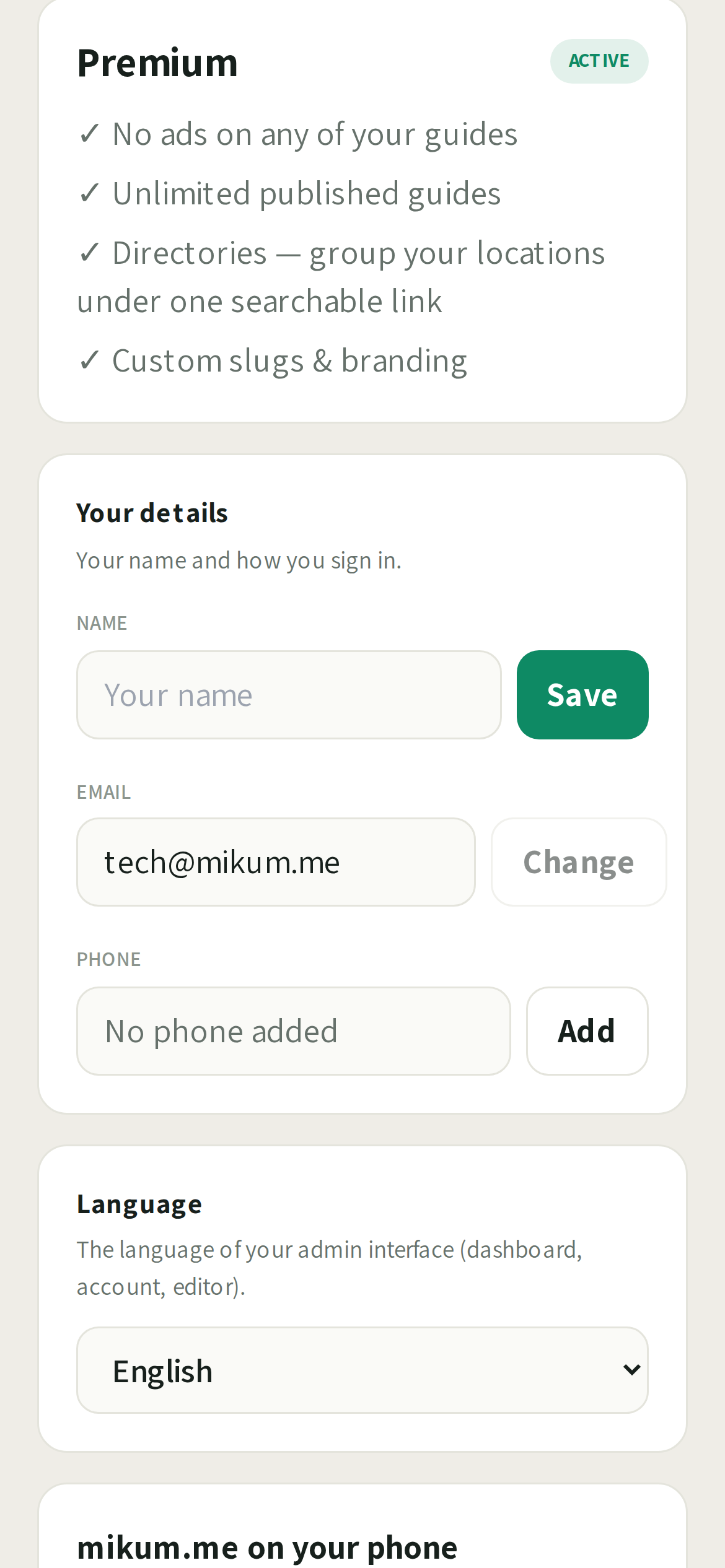
- 2Open Account → Your details and add the other sign-in there: type the email address (or the phone number) that belongs to your second account.
- 3You'll be told it already belongs to another account, and offered a merge. Tap Yes, that's mine: send me a link.
- 4We send a link to that address or number. Open it, check the two accounts shown are both yours, and tap Merge my accounts.
- 5That's it. Refresh your dashboard and everything is in one place.
The link works once and only for one hour. If it has expired, the page it opens offers to send you a fresh one.
What the merge does
- Every guide moves to the account you kept: photos, steps, links and visitor counts included. The public link of each guide does not change, so anything you already shared keeps working.
- Nothing is lost from the other side: free guide slots, referral credits, free premium months and verified gate numbers are added to the account you keep.
- Both sign-ins now open the same account. The email and the phone number both bring you to one dashboard.
- The spare account is closed once its contents have moved.
Guides and your free slots
A free account can have a limited number of guides live at once. If both accounts had live guides, the merged account may end up with more guides than slots.
- Nothing goes offline. Every guide keeps working for your visitors.
- Guides beyond your allowance are locked for editing until you have room for them: you'll see the lock on your dashboard.
- To unlock one: turn a guide you don't need off, earn slots by gifting guides or inviting friends, or go Premium for unlimited live guides. The lock lifts by itself the moment you have room.
When we'll ask you to write to us instead
If both accounts have a paid subscription, we won't merge them automatically: one of the two has to be cancelled first so you're not billed twice. Write to support@mikum.me and we'll sort it out with you.
Last updated Jul 27, 2026