Chatting with support
The chat bubble in the help center answers right away, and hands you to a person when it cannot.
Every page of the help center has a chat bubble in the bottom corner. Tap it and ask in your own words, in English or Hebrew.
Who you are talking to
- 1The assistant answers first. It knows this help center, so it can walk you through publishing, links, gate codes, plans and invoices straight away.
- 2If it cannot solve it (or you ask for a person) the conversation moves to our support team.
- 3If someone is at their desk they join the same chat and carry on from where you left off. Nothing is retyped: they can read everything that was already said.
- 4If nobody is available, the whole conversation is emailed to support@mikum.me and we reply to you by email.
Why we ask for your email
If you are signed in we already know who you are and will not ask. If you are not, the assistant asks for your email address once: that is how we find your account and how we reach you if the answer arrives after you close the tab.
💡Never type a door or gate code into the chat. Support never needs it, and we will never ask for it.
What happens afterwards
A short summary of the conversation is filed against your account, so if you write again nobody has to ask you to explain it all a second time. You can close the chat whenever you like; reopening the bubble on the same device brings the conversation back.
Guides, not just answers
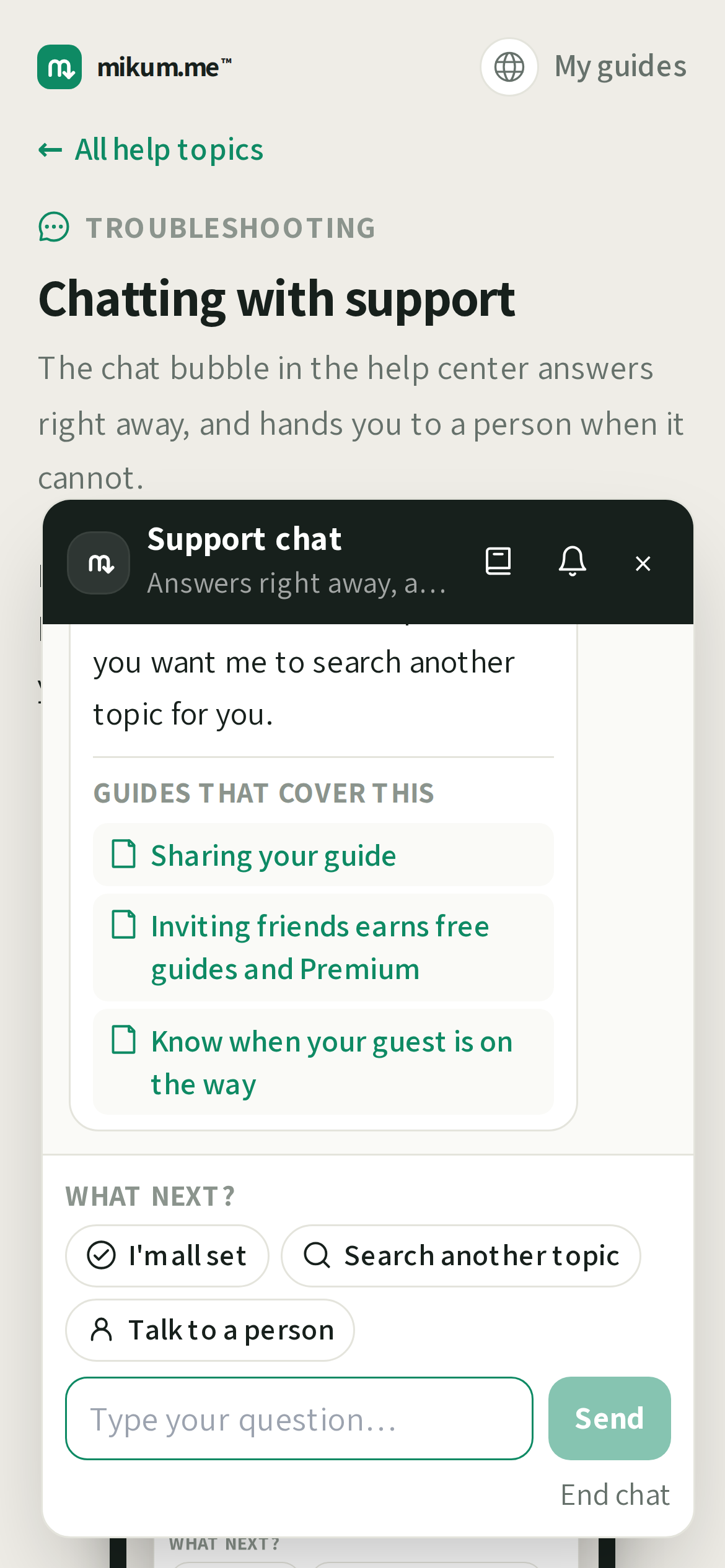
As it answers, the assistant also looks through this help center for the articles that cover what you asked, and puts them under its reply as links. Tap one to read the full step-by-step version. It opens in a new tab, so the conversation stays where it is.
Telling us if it helped
When the assistant answers with a guide, three buttons appear under the reply:
- 1I'm all set: closes the conversation. A short summary is filed and you can reopen the bubble whenever you like.
- 2Search another topic: keeps the same chat open and starts on the next question.
- 3Talk to a person: hands the conversation to our support team.
If nobody from the team is free on chat at that moment, we say so, take your details and answer by email instead, so if we have no address for you, the chat asks for one there and then.
When we are too busy to chat
At a busy moment the person on the other side may tell you straight away that they cannot answer live and ask for the best address to write to. That is not the end of the conversation: the whole chat goes to our support team and the answer comes back by email. The address you type stays with this conversation and does not change your account.
How long you wait for a person
When you ask for a person the chat goes into our queue. If nobody has joined after a minute we say so in the chat rather than leaving you watching an empty window, and if the minute after that passes too we stop waiting: the whole conversation goes to our support team and the answer comes back by email. Nothing is lost in the move: they get everything you already typed, and if we have no address for you, the chat asks for one at that point.
The chat comes with you
You do not have to sit in the help center waiting for an answer. Once a conversation has started, the bubble follows you around mikum.me (your guides, your account, the pricing pages) carrying the same conversation. Go back to what you were doing: when the assistant or a person replies, the bubble shows how many new messages are waiting and makes a sound, wherever you are.
The bubble does not appear on the guides you share with your visitors. Those pages are yours, and our support does not belong on them.
The bubble moves out of your way
When there is nothing waiting for you, the bubble slides to the edge of the screen after a few seconds so it does not sit on top of the buttons underneath it. It is still there: a green sliver on the right edge. Tap it (or move the mouse over it) and it comes back out, ready to open.
It never hides when it matters: the moment a reply arrives, the bubble slides back into full view with the number of new messages on it.
Sometimes we start the chat
If something on your account needs a word from us (a guide that stopped working, a payment that did not go through) the support team can open a chat with you instead of waiting for you to find us. It appears the same way as your own chat does: the bubble in the corner opens by itself with the message in it, and you can answer right there. We only ever do this for the account you are signed in to, and the first line always says who is writing.
Quiet chats close themselves
A conversation with nothing new in it for a while closes on its own, with a line saying so. Nothing is lost: the summary stays on your account, and you can start a new chat any time by tapping the bubble again. If you were waiting for an answer that never came, write again and it reaches the same team.
The "Contact support" button opens it too
At the bottom of every help page there is a "Still stuck?" box with a Contact support button. It opens this same chat window. It no longer opens your mail app, so you do not have to leave the page or describe where you were. The address printed under the button is still there for anyone who would rather write us an email.
Last updated Aug 17, 2026