Inviting editors and contributors
Share managing your guides with your team: two permission levels, your call who gets which.
On an enterprise account you can invite other people to help manage your guides, from Account → Users. Each invite creates a real, separate mikum.me account for them; it never adds a login to yours.
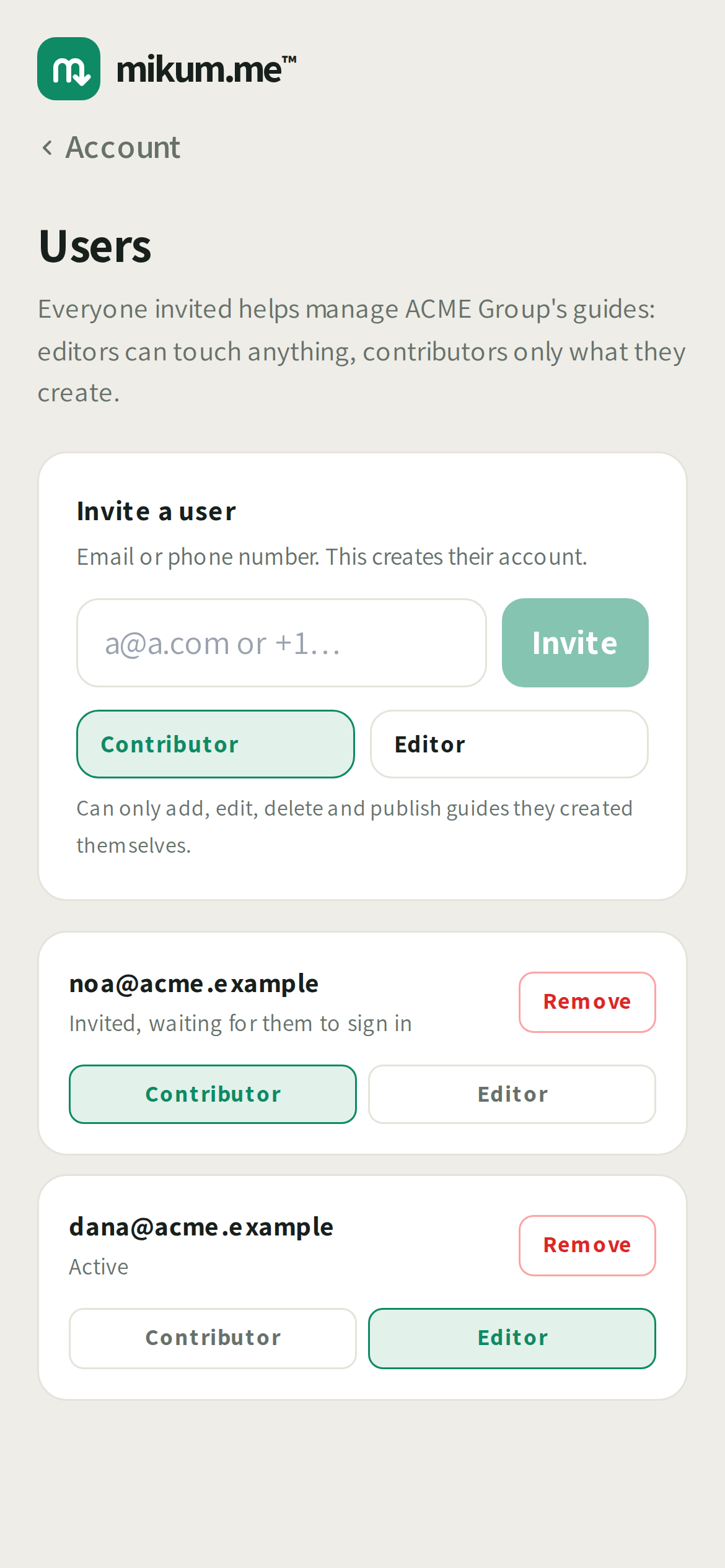
Two permission levels
- Editor: can add, edit and publish any guide in your account. Deleting a guide (or giving one away as a gift) is the one thing an editor can only do to guides they created themselves. Deleting someone else's, including yours, stays owner-only.
- Contributor: can only add, edit, delete and publish guides they created themselves. Everything else in the account is visible to them, just not editable.
Directories work the same way: an editor can manage any of them, a contributor only ones they created.
Inviting someone
- 1Open Account → Users and enter their email or phone number.
- 2Pick Editor or Contributor before sending.
- 3They get a sign-in link. Opening it signs them in and shows them who's inviting them and what they'd be agreeing to: accepting joins immediately, declining leaves no account behind at all, so the address stays free for them to sign up on their own later if they ever want to.
💡Changed your mind about someone's access? Change their permission level any time from the Users list. They get a notification when it happens. Removing them ends their access immediately; their own guides stay in the account.
Good to know
An invite needs your organisation name set first (in Account settings). It's what appears on the invite itself. If someone declines 3 times, mikum.me stops you from re-inviting that same address. Reach out to them directly instead.
Last updated Aug 18, 2026